
Subscription
User subscriptions start at $99.99 CAD per user per month after the trial. An annual subscription saves 16%.
Review pricing and buyer questions →Union management software
UnionStack is union management software that connects member records, organizational structures, cases, email, meetings, websites and authenticated member portals. It gives union staff a shared system for managing relationships, communications and operational workflows.
Category definition
Union management software is a purpose-built system for maintaining the people, organizational relationships, representation work, communication and operational records a union relies on.
Unlike a generic contact database, a union management system should preserve why records are related: which position connects a member to a workplace, which people and representatives participate in a grievance, which email belongs to that case, and which information can be published to the public or shown only to an authenticated member.
UnionStack focuses on that connected operating context. Configurable types, fields, roles, stages and relationships let a union reflect its own terminology while retaining a shared record of the work.
CRM vs AMS vs UMS
The categories overlap, but their default operating assumptions are different. Evaluate the workflows and evidence behind the label.
| System category | Typical centre of gravity | Questions for a union buyer |
|---|---|---|
| CRM | Contacts, organizations, outreach, opportunities and general relationship history. | Can it represent positions, bargaining structures, grievance participants, union-specific stages and protected member relationships without extensive custom development? |
| AMS | Membership lifecycle, renewals, events, committees, payments and association administration. | Can it model representation work, employers and workplaces, case evidence, connected operational email and the union's organizational hierarchy? |
| UMS | Members and positions, union structure, grievances and other cases, communications, meetings, reporting and member experiences. | Does the product demonstrate these workflows as connected records, or merely provide a feature checklist assembled from separate modules? |
What connected means
A request may begin with a person, become a grievance, continue by email, require a meeting and finish with an outcome. In UnionStack, those records can stay related instead of being reconstructed from inboxes, spreadsheets and shared drives.
That connection gives representatives working context, administrators more consistent records and leaders a clearer view of activity—without forcing every union to use identical terminology or stages.
People & positions
Keep contact details, locations, notes, documents, tags, configurable fields, positions, dues information and connected activity within reach.
Workflow evidence: begin from the person record, confirm the active position and location, then open related cases, meetings or notes without searching for the member in a second system.
Organizational structure
Create entity types and relationships that reflect locals, regions, employers, bargaining units, workplaces, committees or any structure your organization needs.
Workflow evidence: connect a workplace to its bargaining unit and local, record leaders and terms, then reuse that structure when assigning positions, publishing a site or relating a case.
Case management
Use distinct case types for grievances, inquiries, incidents or other work. Track the requestor, participants, roles, progress, related entities, parent and child cases, documents, notes, meetings, email and outcomes.
Workflow evidence: create the appropriate case type, identify the requestor and participant roles, assign responsibility, move through configured progress stages and record the result with its supporting documents and communication.
Email integration
Connect email accounts and relate messages, conversations and documents to cases, people and organizational entities.
Workflow evidence: connect a supported provider, bring the relevant conversation into UnionStack, relate it to the case and keep its senders, recipients and attachments available to authorized team members.
Meetings & calendars
Organize meetings by type, location and participants. Attach documents, apply tags and connect meetings to people, entities and cases.
Workflow evidence: schedule case preparation or an executive meeting, add person and user participants, attach the working documents and relate the event to the records that explain why it exists.
Reporting & communications
Report across dues, leaders and positions. Keep Mailchimp audiences connected to the people and entity relationships your team maintains.
Workflow evidence: use maintained position and leader records for operational reporting, review case workload from dashboards, or use the documented API when a custom reporting or integration workflow is required.
A connected union workflow
The exact stages are configurable, but the underlying operating pattern remains clear.
Find or create the person and confirm their position, workplace and union context.
Choose the right case type, intake channel, source, impact and urgency.
Add participants with clear roles and give responsibility to the right users.
Move through configured stages while adding notes, documents and articles.
Relate email, meetings, entities and connected cases as the work develops.
Record outcomes or awards and retain the context behind the decision.
Attributable product evidence
Prepared by the UnionStack Support Team for UnionStack 2.0. Screenshots and demonstrations use a populated test environment with fake data; they are product evidence, not customer endorsements.
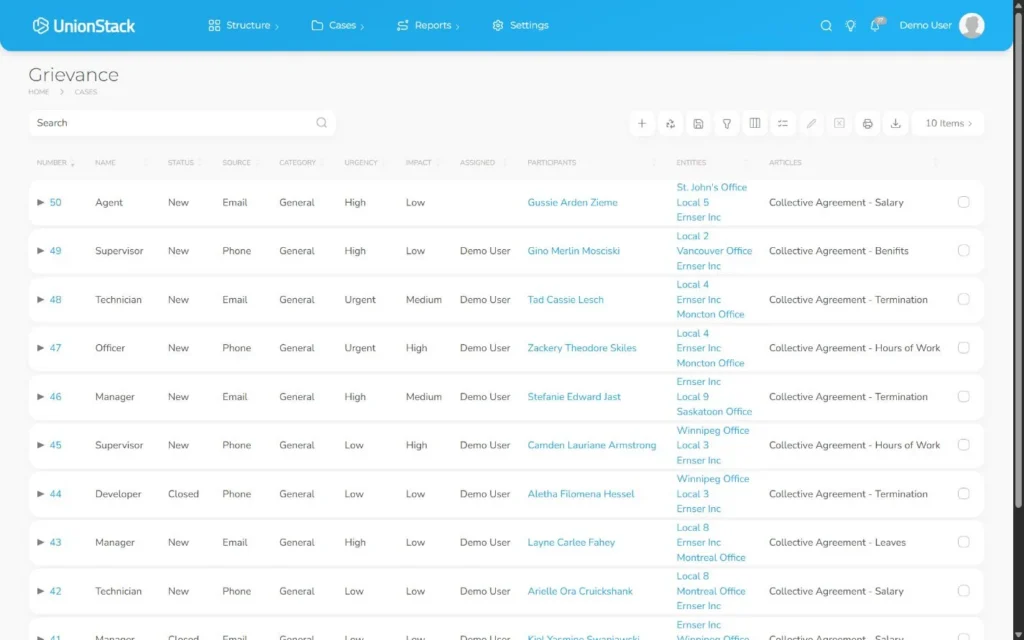
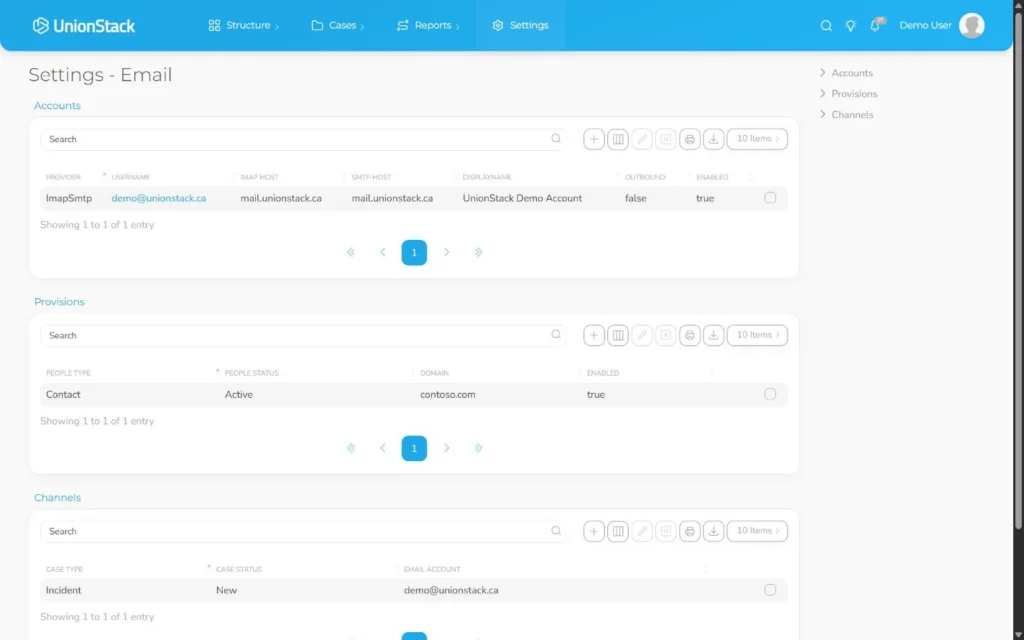
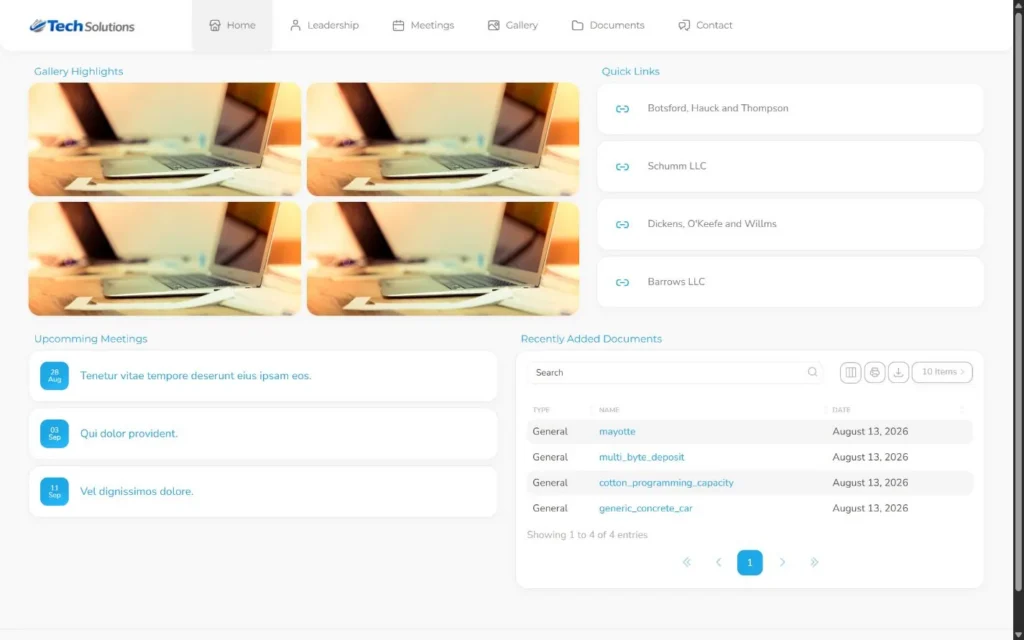
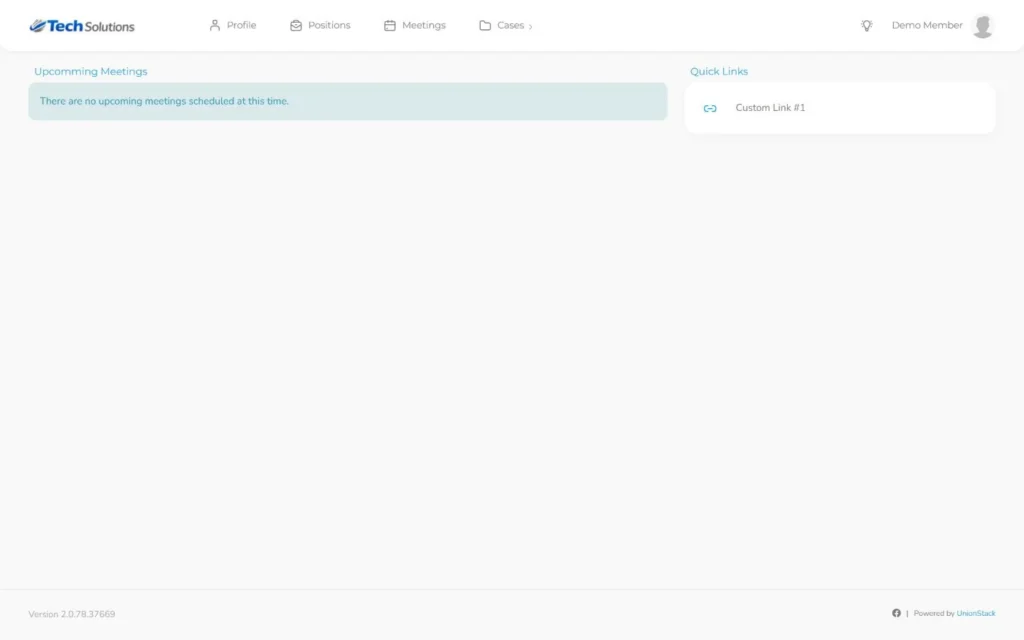
Evidence method: each maintained guide identifies the Support Team as author, UnionStack 2.0 applicability, an updated date, a screenshot caption, troubleshooting and a validation checklist. A named customer structure case study is not yet published; the organizational-structure guide and video use fictional records and will not be presented as customer proof.
Capability and evidence
| Capability | What UnionStack lets a buyer verify | Evidence destination |
|---|---|---|
| Members and structure | People, positions, terms, locals, employers, workplaces, bargaining units and connected activity. | Member workflow · Structure demonstration |
| Cases and grievances | Distinct case types, requestor, participant roles, assignment, configured progress, documents, communication and outcome. | Documented grievance workflow · Buyer analysis |
| Email evidence | Supported Microsoft, Gmail or IMAP/SMTP connections and conversations related to people, entities and cases. | Outlook and Gmail workflow · Record-linking guide |
| Sites and member portals | Public entity publishing kept separate from registration, authentication and protected member navigation. | Sites and portals article · Authentication walkthrough |
| Migration | Source inventory, field and relationship mapping, representative rehearsal, reconciliation, cutover and rollback ownership. | Field-mapping checklist · Migration procedure |
| Evaluation method | Disclosed criteria, weights, identical vendor demonstrations, evidence scoring and commercial responsibility. | Evaluation scorecard · Independent-style framework |
| Canadian hosting and security | Canadian data residency, Azure Canada Central hosting and application-managed tenant-keyed AES-GCM object encryption. | Residency architecture · Trust and security |
| API and integrations | OAuth 2.0 with PKCE, tenant and permission context, grouped OpenAPI operations and a versioned request/response example. | Versioned API workflow · Public API reference |
Pricing, trial and implementation
User subscriptions start at $99.99 CAD per user per month after the trial. An annual subscription saves 16%.
Review pricing and buyer questions →Use fake or approved test data to configure a representative structure, grievance, mailbox, report and member experience before deciding.
Launch the trial →UnionStack provides a migration framework, mapping checklist and onboarding guides. Scope, cleanup, transformation, validation and cutover responsibilities must be agreed for each implementation.
Plan the migration →The public API documents available resources. A production integration still requires authorization design, implementation, monitoring, error recovery and an accountable owner.
Review API examples →Who UnionStack is built for
See member context, assigned cases, conversations, documents and meetings without rebuilding a timeline.
Configure types, fields, roles and organizational records around the way the union operates.
Review workload, positions, dues and leadership information from maintained operational records.
Assess tenant-aware APIs, OAuth access and integration options through public developer documentation.
Honest product boundaries
UnionStack is designed to connect union operational records. It should not be evaluated as if every adjacent system or professional responsibility were included by default.
Designed to fit
Your union’s terminology and workflow should not be forced into a generic template. UnionStack’s types, fields, roles and relationships let teams adapt the system while keeping shared context intact.
Learn how to model your structure →Explore the platform by buying need
Use these focused hubs when your evaluation team needs deeper workflow evidence than a general feature overview.
Evaluate people, positions, terms, contact information, structure, dues context and connected member activity.
Explore membership software →Follow configurable cases from intake through participant roles, assignments, evidence, communication and outcome.
Explore grievance tracking →Connect supported accounts and keep relevant conversations with people, entities and cases.
Explore union email →Compare public entity sites with distinct authenticated experiences for members.
Explore portals and sites →Review authorization, tenant context, resource coverage and practical integration workflows.
Explore the developer platform →Assess Canadian residency and hosting facts as part of a complete procurement review.
Review Canadian fit →From the UnionStack blog
Understand what union management software should model, which workflows to test and how to evaluate implementation, governance and long-term fit.
Read the article →Build a defensible union software shortlist with disclosed criteria, weighted requirements and repeatable product demonstrations.
Read the article →Related implementation guides
Use these maintained UnionStack 2.0 guides to evaluate the workflow in detail.
Orient your team, confirm terminology and prepare a safe first configuration.
Support Team · UnionStack 2.08 min read → ConfigurationUse types and fields to reflect union terminology without creating avoidable complexity.
Support Team · UnionStack 2.011 min read → PeopleCreate dependable member records and connect positions, terms, pay and dues.
Support Team · UnionStack 2.09 min read → CasesMove from intake through participants, progress, evidence and outcome.
Support Team · UnionStack 2.012 min read → MeetingsOrganize purpose, time, location and connected union records in one meeting record.
Support Team · UnionStack 2.09 min read → ReportingTurn connected records into operational insight while checking definitions and data quality.
Support Team · UnionStack 2.010 min read →Built for connected work
User subscriptions start at $99.99 CAD per user per month, or save 16% with an annual subscription.