
Workflow context
What this guide helps you accomplish
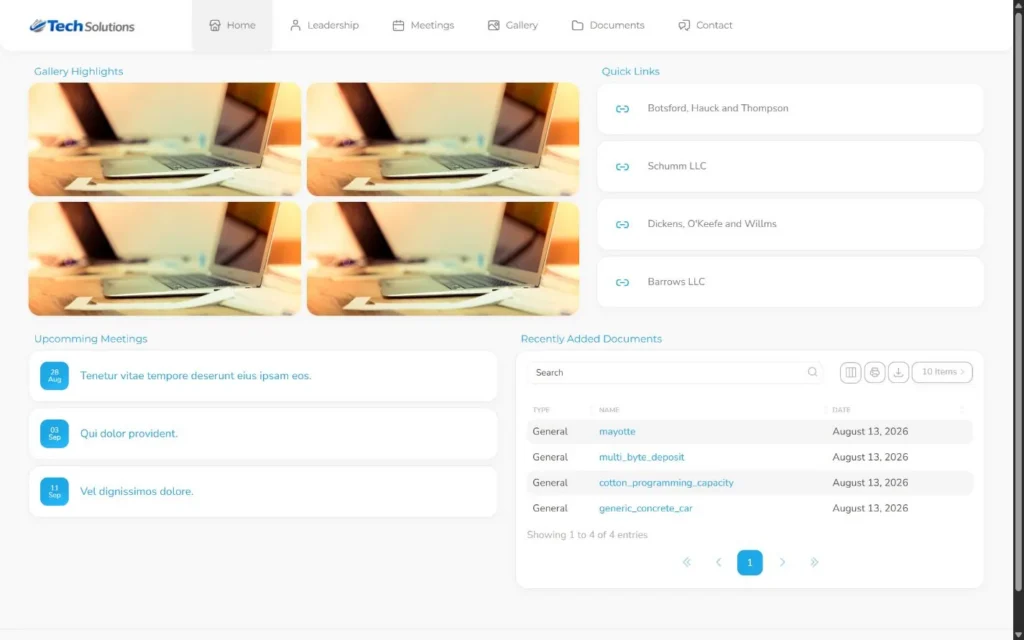
Publish selected UnionStack meetings, documents, leadership and links through a deliberate public-content review.
Public publishing starts with source quality and an explicit publishing decision. A record is not public merely because it belongs to the connected entity.
Public site quality depends on the quality and publishing status of the connected source records.
Before you begin
Prepare the following before changing shared configuration or records:
- A named owner for the site, report or integration and a written description of its audience and purpose.
- Fake source records that can be published, reported or retrieved without exposing member information.
- A review plan covering access, mobile presentation, errors and the ongoing maintenance owner.
- Fake meetings, documents, leaders, galleries and links reviewed against the public-content criteria.
Procedure
Complete the steps in order with fake or approved test information first. Record configuration decisions that will affect other teams.
Define publishing criteria
Document which meeting types, document categories, leadership roles and contact details are intended for the public audience.
Review the source record
Confirm titles, dates, names, document versions and contact information in UnionStack before relying on them publicly.
Select content intentionally
Publish only the records that meet the criteria. Do not assume that a record is public because it exists on an entity.
Check presentation and accessibility
Use descriptive document names, meaningful link text, logical headings and image alternatives. Review on mobile and with keyboard navigation.
Establish update responsibility
Assign owners for upcoming meetings, expired leadership terms, replaced documents and broken links.
Review as an anonymous visitor
Test the public site while signed out and confirm that no member-only or internal context is exposed.
Product view
Video demonstration
Related demonstration
Prepare and review a public UnionStack Site
This conceptual guide shares the demonstration used by the main hands-on procedure.
Watch the captioned demonstration →Troubleshooting
Use the symptoms below to diagnose the workflow before widening access, adding duplicate configuration or bypassing an intended control.
An expired or replaced item remains public
Correct the source status, date or publishing decision, then review cached and detail-page views as a signed-out visitor.
The result exposes too much or too little information
Return to the source record, audience definition and authorization rule. Correct publishing status, filters or access before changing content solely to hide the symptom.
A count or page does not match expectations
Verify source quality, status, effective dates, relationships and filters. Reproduce the result with one known record before changing the configuration.
An external connection stops working
Check ownership, authorization expiry, redirect or domain settings and recent provider changes. Rotate or reauthorize credentials through the approved secure process.
Validation checklist
Do not treat the procedure as complete until an authorized second person can reproduce the intended result.
- Dates, names, document versions, headings, links and image alternatives are accurate in the anonymous experience.
- The intended audience can reach the result and an unauthorized or signed-out user cannot reach protected information.
- Every displayed value can be traced to an understood UnionStack source record or documented calculation.
- Mobile, keyboard, link and error-state checks have been completed.
- An owner and recurring review date are recorded for the live site, report or integration.
Version applicability
This guide was verified for UnionStack 2.0 on August 16, 2026. Available fields, types, relationships, navigation and access can vary with tenant configuration and user permissions.
Corresponding product capability
Union member portals and sites
See the feature evidence, connected workflows and buyer guidance behind this procedure.
Explore Union member portals and sites →Continue learning
Return to the UnionStack Learning Centre, or take the UnionStack product tour to see how these parts connect.