
Workflow context
What this guide helps you accomplish
Prepare source data so the first UnionStack records are consistent, connected and reviewable.
Onboarding is a reconciliation exercise. A small, reviewed batch reveals mapping and relationship problems before they are multiplied across the full membership file.
Data onboarding is a controlled reconciliation process, not simply a transfer of every historical column.
Before you begin
Prepare the following before changing shared configuration or records:
- Administrator access to a UnionStack test organization and a written description of the procedure you are configuring.
- A small set of fake records that covers an ordinary example and at least one exception.
- A named configuration owner who can approve terminology, access and any change to shared settings.
- A signed-off field map, source totals and a representative sample file containing no real personal information.
Procedure
Complete the steps in order with fake or approved test information first. Record configuration decisions that will affect other teams.
Identify authoritative sources
List the systems, spreadsheets and documents that currently hold people, positions, entities, cases and agreements. Name an owner for each source.
Define the target model first
Complete the relevant types, relationships and field decisions before mapping columns. A stable destination prevents repeated transformation work.
Profile quality and duplication
Measure missing identifiers, inconsistent names, obsolete values and likely duplicates. Decide which issues must be resolved before onboarding.
Map fields and controlled values
Document how every source column maps to UnionStack and how legacy values translate to configured choices. Record exclusions explicitly.
Stage a representative sample
Use a small set covering common and exceptional records. Review relationships, dates, contact information and historical context with operational users.
Reconcile and approve
Compare source and destination counts, sample critical records and obtain owner approval before treating the onboarded data as authoritative.
Product view
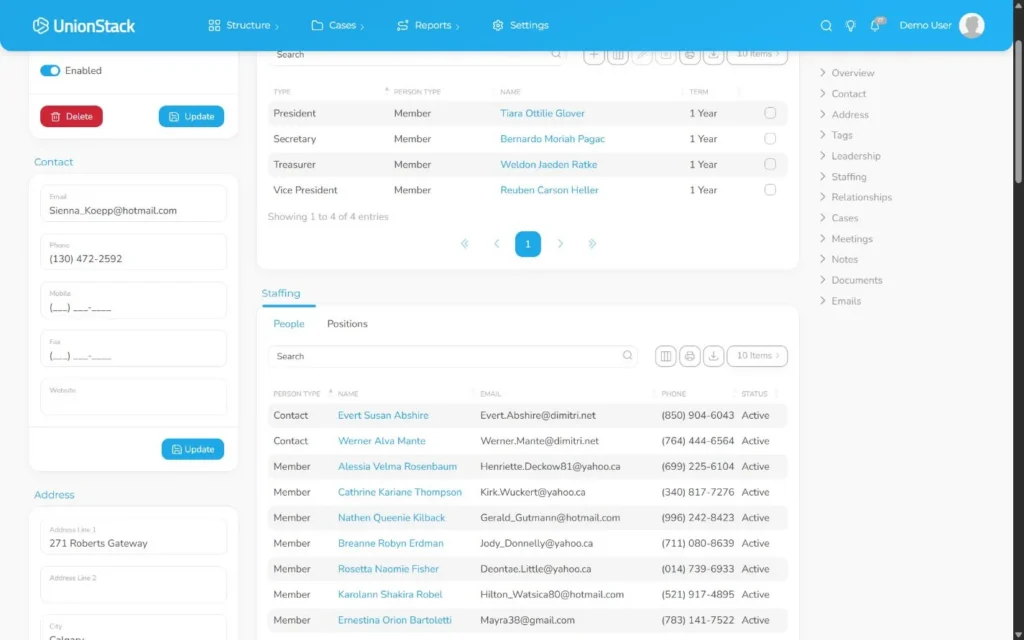
Video demonstration
Related demonstration
Create a person and connect a position
This conceptual guide shares the demonstration used by the main hands-on procedure.
Watch the captioned demonstration →Troubleshooting
Use the symptoms below to diagnose the workflow before widening access, adding duplicate configuration or bypassing an intended control.
Imported counts match but records are not usable
Sample relationships, controlled values, dates and identifiers rather than relying on row counts alone. A successful transfer must also produce usable connected records.
Users describe the same concept with different names
Pause configuration and reconcile the labels used in policies, forms and everyday work. Choose one preferred term and document any legacy synonyms for onboarding.
A pilot user can see too much or too little
Compare the user’s actual responsibility with the planned access matrix. Correct the role or group assignment, then repeat the test with a second representative account.
The configuration works only for the sample record
Add an unusual but valid scenario and trace it through the same procedure. Adjust the model only when the difference affects a real decision, relationship or report.
Validation checklist
Do not treat the procedure as complete until an authorized second person can reproduce the intended result.
- Source and destination totals reconcile and owners approve a sample of common and exceptional records.
- A second administrator can explain the configuration and its owner without relying on undocumented knowledge.
- A pilot user can complete the intended task without a spreadsheet, private note or duplicate record.
- Names, statuses and structured choices match the approved terminology list.
- Access was tested with representative non-administrator accounts.
Version applicability
This guide was verified for UnionStack 2.0 on August 16, 2026. Available fields, types, relationships, navigation and access can vary with tenant configuration and user permissions.
Corresponding product capability
Union database migration
See the feature evidence, connected workflows and buyer guidance behind this procedure.
Explore Union database migration →Continue learning
Return to the UnionStack Learning Centre, or take the UnionStack product tour to see how these parts connect.