

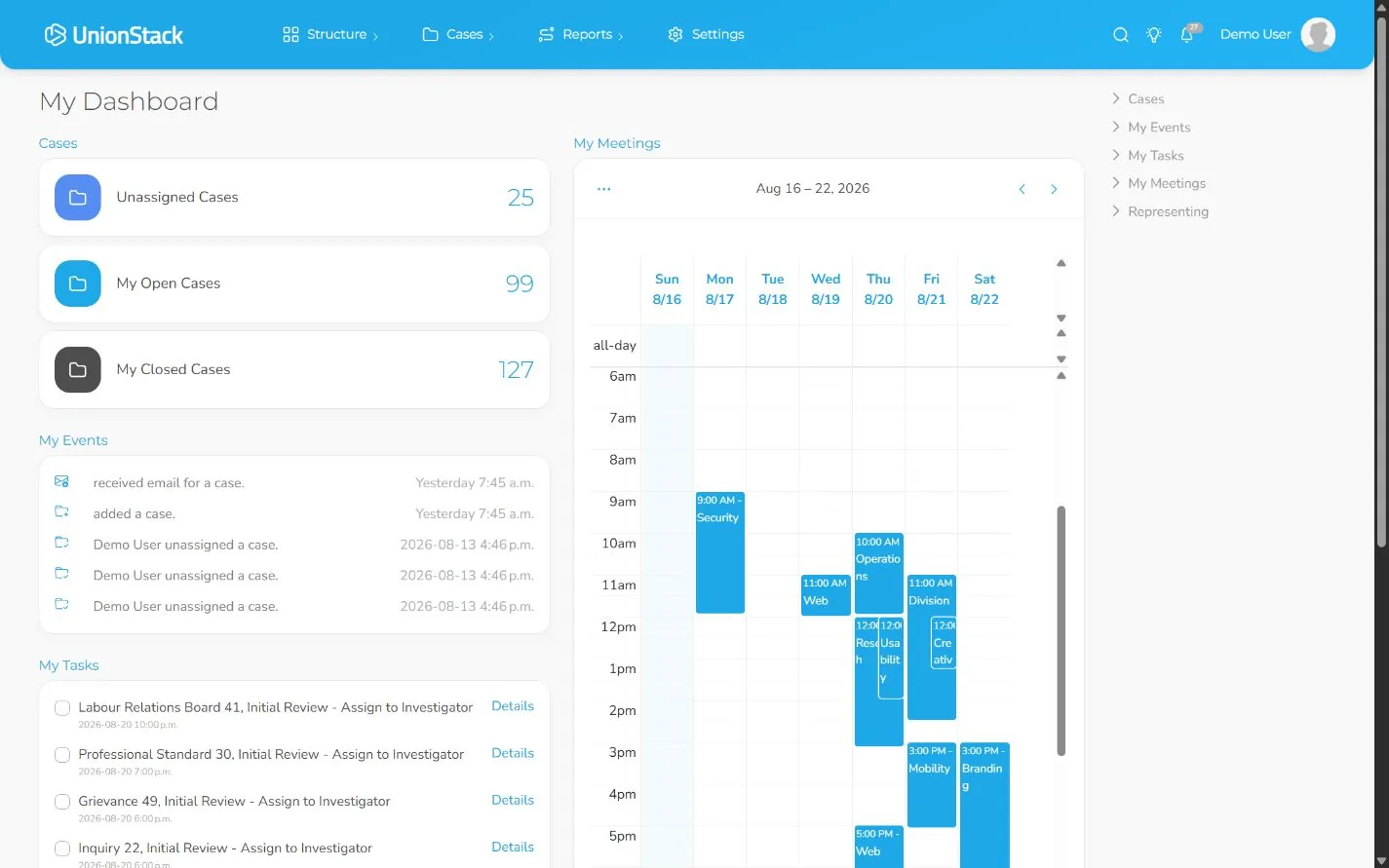
Union management software is a system for maintaining the people, organizational relationships and operational work a union is responsible for. The useful question is not whether a product stores contacts. It is whether the product can represent members in context and support the procedures staff and elected representatives actually perform.
That context often includes locals, regions, employers, bargaining units, workplaces, positions, leadership terms, agreements, grievances, email, meetings, documents, public information and member-only experiences. A union may not need every capability on day one, but it should understand how its priority records connect before selecting a platform.
What makes union management software different?
A general contact system can record a name, email address and notes. A union-oriented system should also explain how the person relates to representation and organizational structure. That might mean an active position at a workplace, membership in a bargaining unit, a leadership term in a local or participation in a grievance.
The distinction becomes visible when something changes. If a member moves to another position, does the system preserve useful history? If a grievance begins, can the representative see the member, employer context, agreement, participants and evidence without rebuilding the timeline? If a local publishes a meeting, can staff trace the public item back to the record they maintain?
Product categories overlap. Some association management systems include union-relevant features, and some customer relationship platforms can be configured extensively. Buyers should evaluate the data model and demonstrated workflows rather than relying on an acronym. Our CRM vs AMS vs UMS guide provides a practical comparison.
Seven capability areas to evaluate
1. Membership and relationship management
Test people types, statuses, contact information, locations, positions, effective terms, structured fields and organizational relationships. Ask the vendor to update a representative member record and show how that change affects reporting and connected work.
2. Organizational structure
A union may need to represent locals, regions, employers, bargaining units, workplaces, committees and other entities. Look for explicit relationships rather than a single hierarchy that forces every connection into a parent-child tree.
3. Grievance and case management
Require a complete demonstration from intake to outcome. The case should include a requestor, participants with roles, assigned users, progress, evidence, communication, meetings and closure. Distinct procedures may need distinct case types and stages.
4. Communication in context
Operational email should remain understandable when responsibility changes. Test an approved mailbox connection, relate a controlled conversation to a case and confirm another authorized user can find it from the case record. Evaluate bulk campaigns separately from case or member correspondence.
5. Meetings, documents and reporting
Meetings and documents should retain their participants, purpose and relationship to other work. Reports should be reproducible from maintained records and agreed definitions, not depend on repeated manual recoding.
6. Public sites and member portals
Public publishing and authenticated member access serve different audiences. Test both. For the member experience, use a dedicated fake account and verify registration, identity matching, visibility and the support path when information does not match.
7. APIs and integrations
Document every external system, the authoritative owner of each shared field and the recovery path when synchronization fails. If an API matters, ask a technical evaluator to complete authorization and a small end-to-end workflow.
How to evaluate products consistently
- Define outcomes. State the operational problems the purchase must address, such as duplicate people records, unclear case ownership or disconnected communication.
- Select representative scenarios. Use the same redacted member change, grievance, report and portal test with every shortlisted vendor.
- Score observable evidence. Separate capabilities demonstrated today from configuration work, paid implementation and future commitments.
- Include governance. Identify administrators, access reviewers, data owners, integration owners and public-content approvers.
- Run a controlled pilot. Let the people who will use the platform complete the workflows with approved test data.
Implementation belongs in the buying decision
Software cannot correct ambiguous terminology or unowned data by itself. Before migration, define the target model, profile the sources, reconcile controlled values and agree on what history should be retained. The union database migration checklist outlines those controls.
Training should also use the configured procedures the union will operate. A generic feature tour can introduce navigation, but it does not prove that staff can update a member, progress a grievance, connect an email or validate a report.
How UnionStack fits this framework
UnionStack connects people and positions with configurable organizational entities, cases, email, meetings, reports, public sites, authenticated member experiences and tenant-aware APIs. Those are product capabilities that buyers can inspect through the product tour, maintained guides, public developer documentation and a 30-day trial.
UnionStack does not remove the need to verify specialized requirements. If employer remittance, payment processing, accounting, organizing or another domain is central to the purchase, document the scenario and require direct evidence. A definitive evaluation is one that makes both capability and boundary clear.
Union management software
Review the product evidence and connected workflows behind this article.
Explore Union management software →