
Workflow context
What this guide helps you accomplish
Create UnionStack entities and relationships that mirror how responsibility and representation actually work.
Start with a small representative branch and confirm how locals, employers, bargaining units, workplaces and committees relate before scaling the hierarchy.
Model what the organization needs to understand and report on, not every label that has appeared in a spreadsheet.
Before you begin
Prepare the following before changing shared configuration or records:
- An approved naming standard and a clear source for identity, position, organizational and agreement information.
- A representative branch of the union structure, including the relationships that make the records meaningful.
- Fake people and position records that can be changed safely during testing.
- An approved diagram or list of durable organizational entities and their relationships.
Procedure
Complete the steps in order with fake or approved test information first. Record configuration decisions that will affect other teams.
Identify durable entities
Start with things that remain meaningful over time: a union, region, local, bargaining unit, employer, workplace or committee.
Create entity types and fields
Create each required entity type and only the custom properties needed for identification, filtering or workflow decisions.
Define relationships
Describe how types connect, such as a local belonging to a region or a workplace connecting to an employer and bargaining unit.
Add a representative branch
Create a small real section of the structure first. Confirm names, parent-child relationships, contacts and locations before scaling out.
Connect leadership and positions
Add leader terms and positions where they belong so representation is visible from both the person and organization.
Test through real work
Open a person, case or meeting and verify that the related entity is easy to find and unambiguous.
Product view
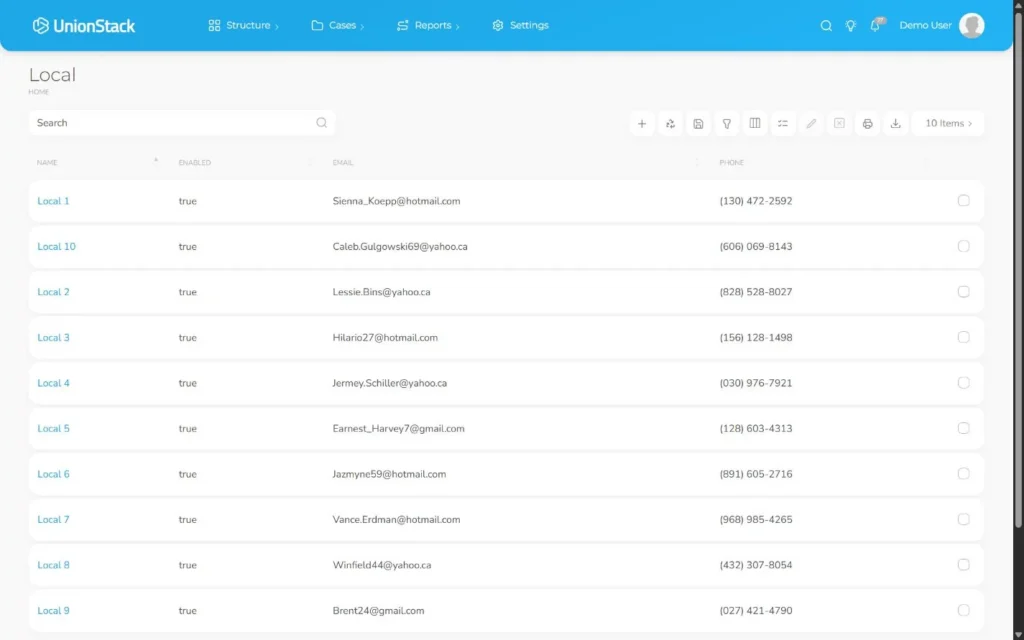
Video demonstration
Follow the principal workflow in this captioned demonstration. The recording uses fake records in the UnionStack test environment.
Troubleshooting
Use the symptoms below to diagnose the workflow before widening access, adding duplicate configuration or bypassing an intended control.
The same workplace appears under competing branches
Confirm whether the records represent one entity with multiple relationships or genuinely different operational units. Preserve one authoritative identity where appropriate.
A person or entity appears more than once
Stop before adding another record. Compare identifiers, contact details and connected positions, then use the organization’s correction process to preserve the authoritative record.
A relationship is technically valid but confusing
Open both connected records and confirm the relationship label answers a useful operational question. Rename or remove relationships that staff cannot interpret consistently.
A report does not match the expected structure
Inspect the underlying type, status, effective dates and entity relationships before changing the report. Correct the source record and rerun the same filter.
Validation checklist
Do not treat the procedure as complete until an authorized second person can reproduce the intended result.
- Users can navigate from a sample workplace to its employer, bargaining unit and local without ambiguity.
- The record can be found using the identifiers and terminology staff actually use.
- Current and historical relationships are distinguishable without overwriting useful history.
- A user can move from the person to the relevant position, entity or agreement in context.
- A sample report produces the expected population after source records are reviewed.
Version applicability
This guide was verified for UnionStack 2.0 on August 16, 2026. Available fields, types, relationships, navigation and access can vary with tenant configuration and user permissions.
Corresponding product capability
Membership management software
See the feature evidence, connected workflows and buyer guidance behind this procedure.
Explore Membership management software →Continue learning
Return to the UnionStack Learning Centre, or take the UnionStack product tour to see how these parts connect.